Buy reparieren.eu ?
We are moving the project
reparieren.eu .
Are you interested in purchasing the domain
reparieren.eu ?
domain@kv-gmbh.de · 0541-91531010
Buy reparieren.eu ?
Which streaming service is good for YouTube?
YouTube TV is a popular streaming service that offers live TV channels, on-demand content, and original programming. It is a good option for those who enjoy watching YouTube content and want access to live TV channels as well. With YouTube TV, users can watch their favorite YouTube creators, live sports, news, and more all in one place. **
How can one fix the problem on YouTube?
One way to fix problems on YouTube is to report the issue directly to YouTube through their reporting system. This can be done by clicking on the three dots next to the video, selecting "Report," and then choosing the appropriate category for the issue. Additionally, reaching out to YouTube's customer support or help center can also be a way to address and fix problems on the platform. Finally, if the issue is related to a specific video, contacting the video creator directly to bring the problem to their attention may also help in resolving the issue. **


Similar search terms for YouTube
Top-Angebote
Products related to YouTube:
-
Inspire Daily Merch Car Headlight Restoration Polish Liquid Polymer Auto Headlight Renovation Repair Kit carton KitRestore Your Car Headlights Like New The Car Headlight Restoration Polish Kit 800ML is your perfect solution. This easytouse liquid polymer formula is specifically designed to restore your car headlights to their original condition, removing haze,...169,97 $*Shipping: 0,00 $Secure redirect to the provider
-
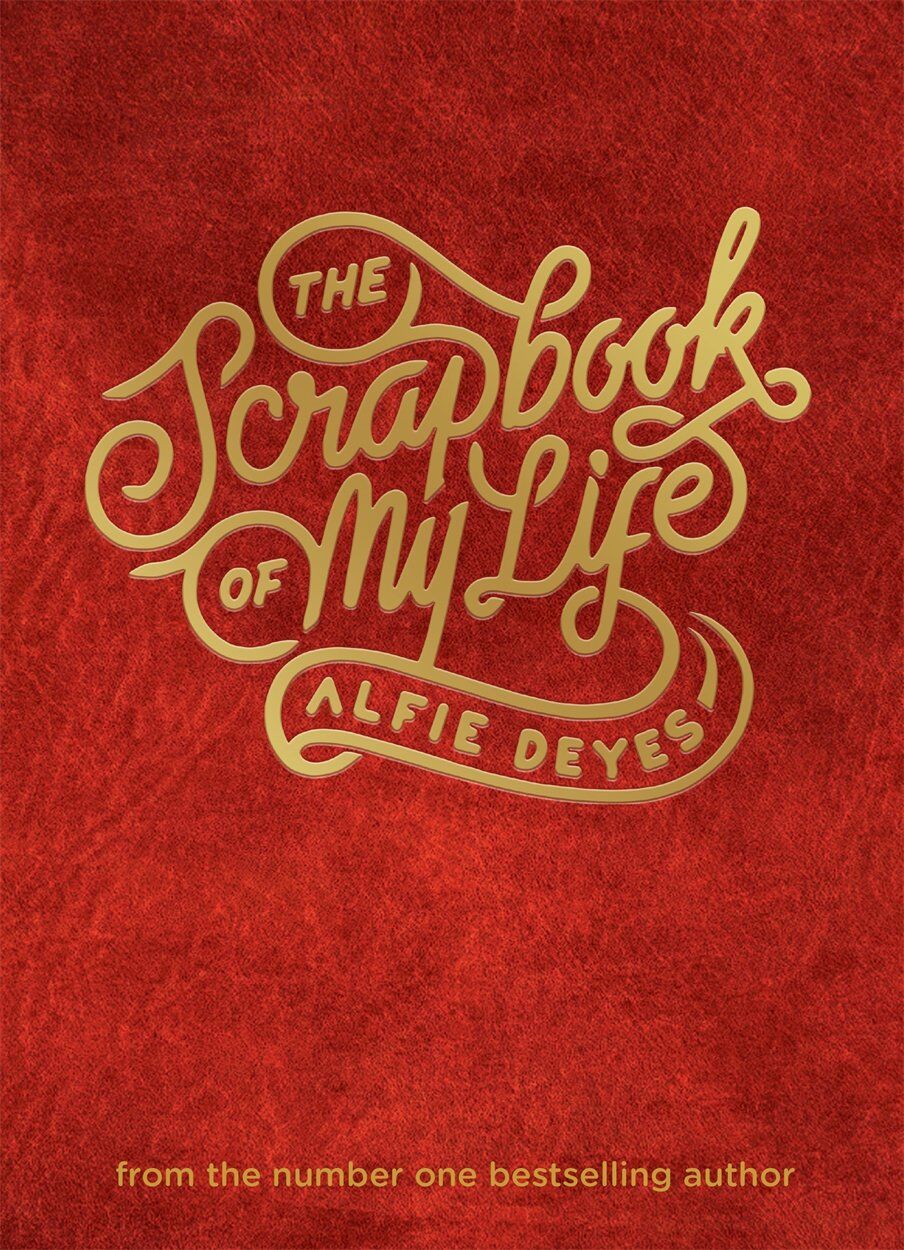
Blink Publishing The Scrapbook of My Life by Alfie Deyes - Paperback Memoir - Interactive Scrapbook Keepsake for Teens & YouTube Fans - 224pp - NewGet to know Alfie Deyes, one of the UK's best-known YouTube stars, through his candid and interactive memoir, The Scrapbook of My Life. Written in his own voice, this book blends personal storytelling with blank scrapbook-style pages, inviting readers to record their own memories and photos alongside his. It's a warm and honest look behind the camera, and a keepsake rather than a standard biography. The book takes readers on Alfie's journey from his childhood in Brighton to his online career, sharing stories of his family, summer holidays, and the ordinary teenage years that led to his extraordinary online career. Inside, you'll find blank pages to fill with your own memories, making this a unique and personal read.5,49 £*Shipping: 2,99 £Secure redirect to the provider
-
Drop Dash Deals Vehicle Maintenance Ramp For Car Service And Oil Changing Vehicle Maintenance Ramp For Car Service And Oil ChangingEffortlessly lift your vehicle with our 2Piece Vehicle Maintenance Ramp, designed for car service and oil changing. Built to support up to 8800 lbs, these durable ramps ensure a safe, stable lift, making them ideal for athome mechanics or...74,97 $*Shipping: 0,00 $Secure redirect to the provider
-
Walker Books Steve and Maggie: Maggie's Birthday Surprise: Based on the hit YouTube series for toddlers, available on Amazon Prime - The perfect picture-book giftSteve and Maggie: Maggie's Birthday Surprise: Based on the hit YouTube series for toddlers, available on Amazon Prime - The perfect picture-book gift for kids age 4, 5, 67,99 £*Shipping: 2,99 £Secure redirect to the provider



-
How can I fix Firefox freezing on YouTube videos?
To fix Firefox freezing on YouTube videos, you can try the following steps: 1. Clear your browser cache and cookies: Sometimes a build-up of cache and cookies can cause performance issues. Clearing them can help resolve freezing problems. 2. Update your browser and extensions: Make sure Firefox and all your extensions are up to date. Outdated software can sometimes cause compatibility issues. 3. Disable hardware acceleration: Go to Firefox settings, click on "General," scroll down to "Performance," and uncheck the box next to "Use recommended performance settings." Then uncheck the box next to "Use hardware acceleration when available." 4. Try using a different browser: If the issue persists, try using a different browser like Google Chrome or Microsoft Edge to see if the problem is specific to Firefox. **
-
How can I fix the fluctuation in volume on YouTube?
To fix fluctuation in volume on YouTube, you can try adjusting the volume settings on both your device and the YouTube player. Make sure the volume is not set too low or too high on either the device or the player. Additionally, check for any issues with your internet connection, as fluctuations in volume can sometimes be caused by buffering or poor connection. If the issue persists, you may want to try using a different device or browser to see if the problem is specific to one device or browser. **
-
How can I fix the Xbox crashes when using YouTube?
To fix Xbox crashes when using YouTube, you can try the following troubleshooting steps: 1. Clear the YouTube app's cache and data: Go to the "My games & apps" section, select YouTube, press the menu button, and then choose "Manage app." From there, you can clear the app's cache and data. 2. Check for updates: Make sure your Xbox and the YouTube app are both up to date. Sometimes, outdated software can cause crashes. 3. Restart your Xbox: Sometimes a simple restart can fix software glitches. Try turning off your Xbox and then turning it back on. 4. Reinstall the YouTube app: If the problem persists, you can try uninstalling and reinstalling the YouTube app to see if that resolves the issue. If none of these steps work, you may want to reach out to Xbox support for further assistance. **
-
How can one fix the buzzing sound in YouTube videos?
One way to fix the buzzing sound in YouTube videos is to check the audio settings on your device and make sure they are properly configured. You can also try using a different web browser or updating your current browser to see if that resolves the issue. Additionally, checking for any updates for your device's sound drivers or reinstalling them may help eliminate the buzzing sound. If the problem persists, it may be worth reaching out to YouTube support for further assistance. **


How can I fix the shuffle function on YouTube Music?
To fix the shuffle function on YouTube Music, you can try logging out of your account and then logging back in. This can sometimes reset any issues with the shuffle feature. You can also try clearing the app's cache and data, or uninstalling and reinstalling the app to see if that resolves the problem. If the issue persists, you can reach out to YouTube Music's customer support for further assistance. **
How to start a streaming service similar to YouTube?
To start a streaming service similar to YouTube, you will need to first identify your target audience and niche. Next, you will need to invest in a reliable video hosting platform and develop a user-friendly website or app. It is important to create a strong branding strategy and marketing plan to attract both content creators and viewers. Additionally, you will need to ensure you have the necessary legal agreements in place to protect copyrighted content and comply with regulations. **
Top-Angebote
Products related to YouTube:
-
Combo Retail Shop LED Ring Light With Phone Holder For TikTok YouTube Makeup Live Studio 26cm Only LampUnlock your creative potential with this LED Ring Light featuring a convenient phone holder, designed to elevate your content creation for platforms like TikTok and YouTube. Whether you're filming makeup tutorials, live streaming, or creating...28,97 $*Shipping: 0,00 $Secure redirect to the provider
-
Uplift Essentials Oil Change Maintenance Service Reminder Stickers Oil Change Maintenance Service Reminder StickersNever miss a crucial vehicle checkup, filter replacement, or mileage milestone again with these professional oil change reminder stickers. Designed specifically for clear windshield application, these lowtack static cling labels allow mechanics,...37,97 $*Shipping: 0,00 $Secure redirect to the provider
-
Inspire Daily Merch Car Headlight Restoration Polish Liquid Polymer Auto Headlight Renovation Repair Kit carton KitRestore Your Car Headlights Like New The Car Headlight Restoration Polish Kit 800ML is your perfect solution. This easytouse liquid polymer formula is specifically designed to restore your car headlights to their original condition, removing haze,...169,97 $*Shipping: 0,00 $Secure redirect to the provider
-
Blink Publishing The Scrapbook of My Life by Alfie Deyes - Paperback Memoir - Interactive Scrapbook Keepsake for Teens & YouTube Fans - 224pp - NewGet to know Alfie Deyes, one of the UK's best-known YouTube stars, through his candid and interactive memoir, The Scrapbook of My Life. Written in his own voice, this book blends personal storytelling with blank scrapbook-style pages, inviting readers to record their own memories and photos alongside his. It's a warm and honest look behind the camera, and a keepsake rather than a standard biography. The book takes readers on Alfie's journey from his childhood in Brighton to his online career, sharing stories of his family, summer holidays, and the ordinary teenage years that led to his extraordinary online career. Inside, you'll find blank pages to fill with your own memories, making this a unique and personal read.5,49 £*Shipping: 2,99 £Secure redirect to the provider
-
Which streaming service is good for YouTube?
YouTube TV is a popular streaming service that offers live TV channels, on-demand content, and original programming. It is a good option for those who enjoy watching YouTube content and want access to live TV channels as well. With YouTube TV, users can watch their favorite YouTube creators, live sports, news, and more all in one place. **
-
How can one fix the problem on YouTube?
One way to fix problems on YouTube is to report the issue directly to YouTube through their reporting system. This can be done by clicking on the three dots next to the video, selecting "Report," and then choosing the appropriate category for the issue. Additionally, reaching out to YouTube's customer support or help center can also be a way to address and fix problems on the platform. Finally, if the issue is related to a specific video, contacting the video creator directly to bring the problem to their attention may also help in resolving the issue. **
-
How can I fix Firefox freezing on YouTube videos?
To fix Firefox freezing on YouTube videos, you can try the following steps: 1. Clear your browser cache and cookies: Sometimes a build-up of cache and cookies can cause performance issues. Clearing them can help resolve freezing problems. 2. Update your browser and extensions: Make sure Firefox and all your extensions are up to date. Outdated software can sometimes cause compatibility issues. 3. Disable hardware acceleration: Go to Firefox settings, click on "General," scroll down to "Performance," and uncheck the box next to "Use recommended performance settings." Then uncheck the box next to "Use hardware acceleration when available." 4. Try using a different browser: If the issue persists, try using a different browser like Google Chrome or Microsoft Edge to see if the problem is specific to Firefox. **
-
How can I fix the fluctuation in volume on YouTube?
To fix fluctuation in volume on YouTube, you can try adjusting the volume settings on both your device and the YouTube player. Make sure the volume is not set too low or too high on either the device or the player. Additionally, check for any issues with your internet connection, as fluctuations in volume can sometimes be caused by buffering or poor connection. If the issue persists, you may want to try using a different device or browser to see if the problem is specific to one device or browser. **
Similar search terms for YouTube
-
Drop Dash Deals Vehicle Maintenance Ramp For Car Service And Oil Changing Vehicle Maintenance Ramp For Car Service And Oil ChangingEffortlessly lift your vehicle with our 2Piece Vehicle Maintenance Ramp, designed for car service and oil changing. Built to support up to 8800 lbs, these durable ramps ensure a safe, stable lift, making them ideal for athome mechanics or...74,97 $*Shipping: 0,00 $Secure redirect to the provider
-
Walker Books Steve and Maggie: Maggie's Birthday Surprise: Based on the hit YouTube series for toddlers, available on Amazon Prime - The perfect picture-book giftSteve and Maggie: Maggie's Birthday Surprise: Based on the hit YouTube series for toddlers, available on Amazon Prime - The perfect picture-book gift for kids age 4, 5, 67,99 £*Shipping: 2,99 £Secure redirect to the provider
-
All Categories Goods Fix It Sticks Maintenance Compact All In One Torque Driver Kit FISMUTK Fix It Sticks Maintenance Compact All In One Torque Driver Kit FISMUTKUnlock precision and convenience with the Fix It Sticks Maintenance Compact 19pc AllinOne Torque Driver Kit. Designed for professionals and hobbyists alike, this versatile kit provides the tools needed for field repairs and routine maintenance,...309,97 $*Shipping: 0,00 $Secure redirect to the provider
-
Combo Retail Shop LED Ring Light With Phone Holder For TikTok YouTube Makeup Live Studio 33cm Only LampUnlock your creative potential with this LED Ring Light featuring a convenient phone holder, designed to elevate your content creation for platforms like TikTok and YouTube. Whether you're filming makeup tutorials, live streaming, or creating...32,97 $*Shipping: 0,00 $Secure redirect to the provider
-
How can I fix the Xbox crashes when using YouTube?
To fix Xbox crashes when using YouTube, you can try the following troubleshooting steps: 1. Clear the YouTube app's cache and data: Go to the "My games & apps" section, select YouTube, press the menu button, and then choose "Manage app." From there, you can clear the app's cache and data. 2. Check for updates: Make sure your Xbox and the YouTube app are both up to date. Sometimes, outdated software can cause crashes. 3. Restart your Xbox: Sometimes a simple restart can fix software glitches. Try turning off your Xbox and then turning it back on. 4. Reinstall the YouTube app: If the problem persists, you can try uninstalling and reinstalling the YouTube app to see if that resolves the issue. If none of these steps work, you may want to reach out to Xbox support for further assistance. **
-
How can one fix the buzzing sound in YouTube videos?
One way to fix the buzzing sound in YouTube videos is to check the audio settings on your device and make sure they are properly configured. You can also try using a different web browser or updating your current browser to see if that resolves the issue. Additionally, checking for any updates for your device's sound drivers or reinstalling them may help eliminate the buzzing sound. If the problem persists, it may be worth reaching out to YouTube support for further assistance. **
-
How can I fix the shuffle function on YouTube Music?
To fix the shuffle function on YouTube Music, you can try logging out of your account and then logging back in. This can sometimes reset any issues with the shuffle feature. You can also try clearing the app's cache and data, or uninstalling and reinstalling the app to see if that resolves the problem. If the issue persists, you can reach out to YouTube Music's customer support for further assistance. **
-
How to start a streaming service similar to YouTube?
To start a streaming service similar to YouTube, you will need to first identify your target audience and niche. Next, you will need to invest in a reliable video hosting platform and develop a user-friendly website or app. It is important to create a strong branding strategy and marketing plan to attract both content creators and viewers. Additionally, you will need to ensure you have the necessary legal agreements in place to protect copyrighted content and comply with regulations. **
* All prices are inclusive of VAT and, if applicable, plus shipping costs. The offer information is based on the details provided by the respective shop and is updated through automated processes. Real-time updates do not occur, so deviations can occur in individual cases. ** Note: Parts of this content were created by AI.