Buy reparieren.eu ?
We are moving the project
reparieren.eu .
Are you interested in purchasing the domain
reparieren.eu ?
domain@kv-gmbh.de · 0541-91531010
Buy reparieren.eu ?
Why does the restoration of the Time Machine break off?
The restoration of the Time Machine breaks off because the Time Traveler realizes that he is running out of time to share his story with his friends. He is anxious to recount his adventures and theories about time travel before it's too late. Additionally, the Time Traveler is concerned about the skepticism and disbelief he anticipates from his friends, which adds to his urgency to reveal the truth about his journey. **
Did the iPad Pro break during the repair?
No, the iPad Pro did not break during the repair. The technician successfully repaired the device without causing any additional damage. The repair process was completed without any issues, and the iPad Pro is now fully functional. **

Similar search terms for Break
Top-Angebote
Products related to Break:
-
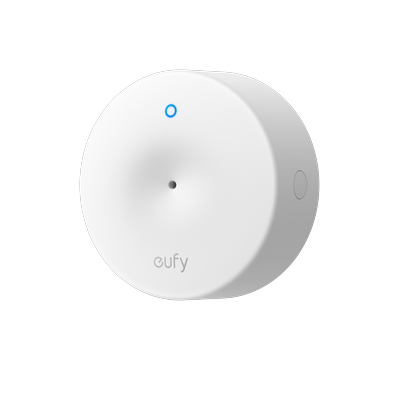
eufy Glass Break Sensor E10 WhitePrecise Detection with an Advanced Algorithm: A neural chip and an AI algorithm trained on common glass types ensure accurate glass-break detection. Wide Glass Type Compatibility: Detects breaks across 6 glass types—plate, coated, laminated,...39,99 $*Shipping: 0,00 $Secure redirect to the provider
-
Dear Doer Break Scrub Body Scrub 300mLA body scrub for oily or blemish-prone skin. Smooth, clear, and refreshed— Break Scrub deeply exfoliates, purifies, and revitalizes oily and blemish-prone skin. Break free from body imperfections—scrub your way to flawless skin. Deeply cleanses pores and removes impurities. Improves skin texture and clarity.16,94 £*Shipping: 6,86 £Secure redirect to the provider
-
Break-Resistant Plastic Cups 18oz, Reusable DesignMAKE HOMEMADE DRINKS AND SERVE IN VIVID CUPS Coolest Drinking Cups for Home and Travel These 18oz drinking cups provide a comfy lightweight grip experience to sip your hot and cold beverages.36,49 $*Shipping: 0,00 $Secure redirect to the provider


-
Did the mobile phone repair break the phone?
No, the mobile phone repair did not break the phone. The repair was successful and the phone is now in working condition. The repair technician was able to fix the issue without causing any additional damage to the phone. **
-
How can I fix a section break in Word?
To fix a section break in Word, first make sure that you are in the correct view by clicking on the "View" tab and selecting "Draft" or "Print Layout." Then, place your cursor just before the section break and press the "Delete" key to remove it. If the section break is causing formatting issues, you may need to adjust the formatting of the text before and after the break to ensure consistency. Additionally, you can use the "Show/Hide" button on the Home tab to display non-printing characters, which can help you identify and remove the section break. **
-
Why is there always this annoying maintenance break in Clash Royale?
The maintenance break in Clash Royale is necessary for the game developers to implement updates, fix bugs, and make improvements to the game. These breaks are essential to ensure that the game runs smoothly and that players have the best possible experience. While it may be frustrating to have the game temporarily unavailable during maintenance, it ultimately benefits the players by providing a better and more stable gaming environment. **
-
How can one repair a cable break by themselves?
Repairing a cable break by oneself can be a challenging task and may require some technical knowledge and skills. To repair a cable break, one can start by identifying the location of the break and then carefully cutting out the damaged section of the cable. Next, the exposed wires should be stripped and spliced back together using appropriate connectors or soldering. It is important to ensure that the connections are secure and insulated properly to prevent any further damage. If unsure about how to proceed, it is recommended to seek professional help to avoid any safety hazards. **


How can you repair a cable break by yourself?
Repairing a cable break by yourself can be a challenging task, but it is possible with the right tools and knowledge. First, you will need to locate the break in the cable and cut out the damaged section. Then, you can use a cable splicing kit to reconnect the two ends of the cable. Make sure to follow the instructions carefully and use the appropriate tools to ensure a secure and safe repair. It's important to test the repaired cable to ensure it is functioning properly before putting it back into use. If you are unsure about how to repair the cable break, it's best to consult a professional for assistance. **
How can you repair a cable break in headphones?
To repair a cable break in headphones, you can start by identifying the location of the break by gently bending and flexing the cable. Once you've located the break, you can carefully strip back the insulation to expose the wires and then splice them back together using solder and heat shrink tubing. Make sure to insulate the connections properly to avoid any short circuits. Finally, use electrical tape or heat shrink tubing to cover the repaired area and ensure the cable is secure. **
Top-Angebote
Products related to Break:
-
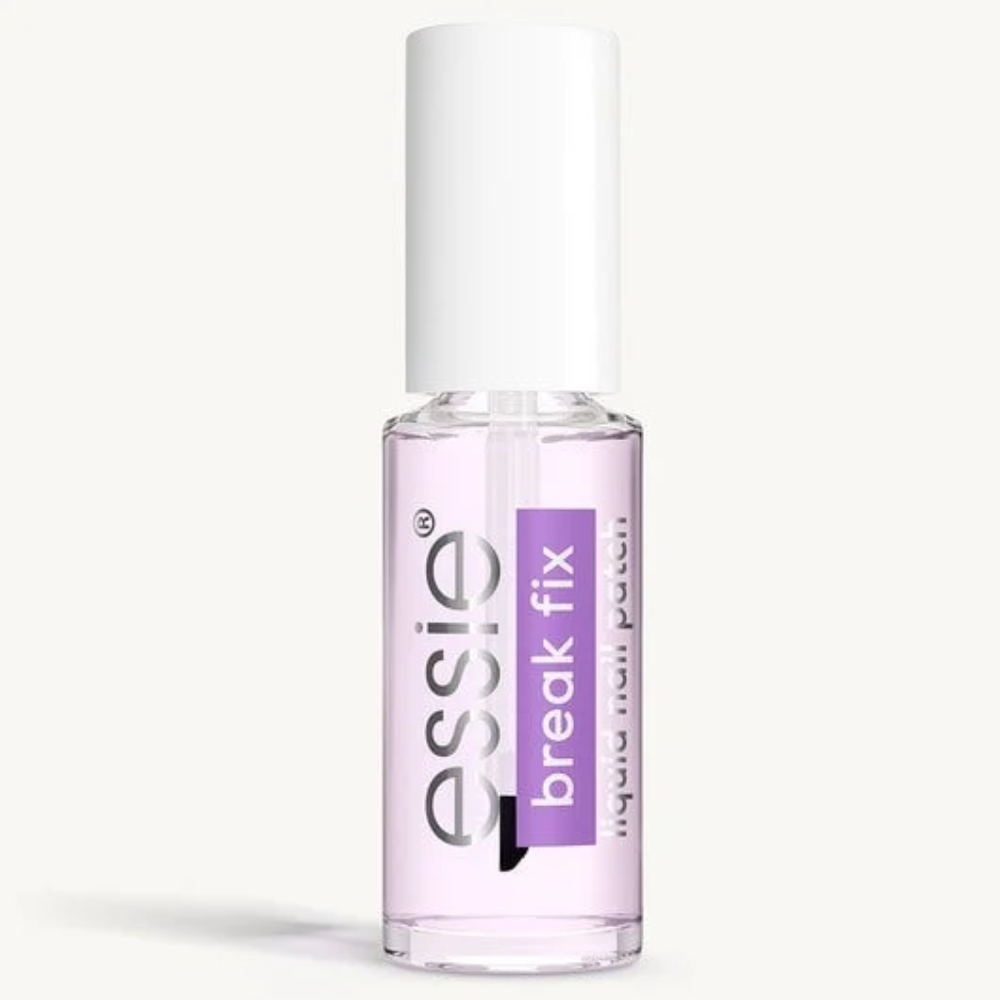
Essie Break Fix Protective Liquid Nail Patch 7mLA skin-care product. This innovative liquid patch provides a protective layer that lasts up to 5 days, ensuring your nails look flawless and well-maintained. Repairs and protects broken nails. Sheer finish that blends perfectly with natural nails. Easy to apply and quick-drying formula. Suitable for all nail types.11,57 £*Shipping: 4,07 £Secure redirect to the provider
-
eufy Glass Break Sensor E10 WhitePrecise Detection with an Advanced Algorithm: A neural chip and an AI algorithm trained on common glass types ensure accurate glass-break detection. Wide Glass Type Compatibility: Detects breaks across 6 glass types—plate, coated, laminated,...39,99 $*Shipping: 0,00 $Secure redirect to the provider
-
Dear Doer Break Scrub Body Scrub 300mLA body scrub for oily or blemish-prone skin. Smooth, clear, and refreshed— Break Scrub deeply exfoliates, purifies, and revitalizes oily and blemish-prone skin. Break free from body imperfections—scrub your way to flawless skin. Deeply cleanses pores and removes impurities. Improves skin texture and clarity.16,94 £*Shipping: 6,86 £Secure redirect to the provider
-
Why does the restoration of the Time Machine break off?
The restoration of the Time Machine breaks off because the Time Traveler realizes that he is running out of time to share his story with his friends. He is anxious to recount his adventures and theories about time travel before it's too late. Additionally, the Time Traveler is concerned about the skepticism and disbelief he anticipates from his friends, which adds to his urgency to reveal the truth about his journey. **
-
Did the iPad Pro break during the repair?
No, the iPad Pro did not break during the repair. The technician successfully repaired the device without causing any additional damage. The repair process was completed without any issues, and the iPad Pro is now fully functional. **
-
Did the mobile phone repair break the phone?
No, the mobile phone repair did not break the phone. The repair was successful and the phone is now in working condition. The repair technician was able to fix the issue without causing any additional damage to the phone. **
-
How can I fix a section break in Word?
To fix a section break in Word, first make sure that you are in the correct view by clicking on the "View" tab and selecting "Draft" or "Print Layout." Then, place your cursor just before the section break and press the "Delete" key to remove it. If the section break is causing formatting issues, you may need to adjust the formatting of the text before and after the break to ensure consistency. Additionally, you can use the "Show/Hide" button on the Home tab to display non-printing characters, which can help you identify and remove the section break. **
Similar search terms for Break
-
Break-Resistant Plastic Cups 18oz, Reusable DesignMAKE HOMEMADE DRINKS AND SERVE IN VIVID CUPS Coolest Drinking Cups for Home and Travel These 18oz drinking cups provide a comfy lightweight grip experience to sip your hot and cold beverages.36,49 $*Shipping: 0,00 $Secure redirect to the provider
-
Why is there always this annoying maintenance break in Clash Royale?
The maintenance break in Clash Royale is necessary for the game developers to implement updates, fix bugs, and make improvements to the game. These breaks are essential to ensure that the game runs smoothly and that players have the best possible experience. While it may be frustrating to have the game temporarily unavailable during maintenance, it ultimately benefits the players by providing a better and more stable gaming environment. **
-
How can one repair a cable break by themselves?
Repairing a cable break by oneself can be a challenging task and may require some technical knowledge and skills. To repair a cable break, one can start by identifying the location of the break and then carefully cutting out the damaged section of the cable. Next, the exposed wires should be stripped and spliced back together using appropriate connectors or soldering. It is important to ensure that the connections are secure and insulated properly to prevent any further damage. If unsure about how to proceed, it is recommended to seek professional help to avoid any safety hazards. **
-
How can you repair a cable break by yourself?
Repairing a cable break by yourself can be a challenging task, but it is possible with the right tools and knowledge. First, you will need to locate the break in the cable and cut out the damaged section. Then, you can use a cable splicing kit to reconnect the two ends of the cable. Make sure to follow the instructions carefully and use the appropriate tools to ensure a secure and safe repair. It's important to test the repaired cable to ensure it is functioning properly before putting it back into use. If you are unsure about how to repair the cable break, it's best to consult a professional for assistance. **
-
How can you repair a cable break in headphones?
To repair a cable break in headphones, you can start by identifying the location of the break by gently bending and flexing the cable. Once you've located the break, you can carefully strip back the insulation to expose the wires and then splice them back together using solder and heat shrink tubing. Make sure to insulate the connections properly to avoid any short circuits. Finally, use electrical tape or heat shrink tubing to cover the repaired area and ensure the cable is secure. **
* All prices are inclusive of VAT and, if applicable, plus shipping costs. The offer information is based on the details provided by the respective shop and is updated through automated processes. Real-time updates do not occur, so deviations can occur in individual cases. ** Note: Parts of this content were created by AI.