Buy reparieren.eu ?
We are moving the project
reparieren.eu .
Are you interested in purchasing the domain
reparieren.eu ?
domain@kv-gmbh.de · 0541-91531010
Buy reparieren.eu ?
How can one repair a calculator?
To repair a calculator, first try replacing the batteries to see if that resolves the issue. If the problem persists, carefully open the calculator and check for any loose connections or damaged components. If you are comfortable with electronics, you can attempt to repair or replace any damaged parts such as the display, buttons, or circuit board. If the issue is more complex, it may be best to seek professional help from a technician or contact the manufacturer for repair options. **
How can I repair my Casio calculator?
To repair your Casio calculator, you can start by checking the batteries to ensure they are properly inserted and functioning. If the issue persists, you can try resetting the calculator by removing the batteries and leaving them out for a few minutes before reinserting them. If the problem still persists, you may need to contact Casio customer support for further assistance or take the calculator to a professional repair service. It's important to refer to the user manual for specific troubleshooting steps and contact information for customer support. **
Similar search terms for Calculator
Top-Angebote
Products related to Calculator:
-
Inspire Picks Knitting Ruler Gauge & Stitch Calculator Tool orangeMeasure stitches, check gauge, and keep knitting projects more consistent with this versatile knitting gauge ruler. Designed for knitters and DIY yarn crafters, this compact measuring tool helps evaluate stitch density and dimensions while planning...34,93 $*Shipping: 0,00 $Secure redirect to the provider
-
HTI Peppa Pig Cash Register Playset with Accessories - Working Calculator & ScannerBring shopping time to life with the HTI Peppa Pig Cash Register Playset. Designed for imaginative roleplay, this colourful checkout toy gives children everything they need to pretend to run a shop, serve customers, and complete their own shopping transactions. The cash register features a working calculator, allowing children to add up pretend purchases while developing confidence with numbers. A toy scanner produces a realistic beep when shopping items are scanned, and the till opens with a sound for added play value. Children can choose to pay with Peppa Pig play money or use the bank card with a contactless-style beep feature. The set includes a selection of pretend shopping accessories, including Peppa Pig notes, coins, a bank card, cardboard food items, and plastic food items. These accessories encourage open-ended play, whether children are acting as the shopkeeper, cashier, or customer. Playing with the Peppa Pig cash register can support imaginative thinking and social interaction.20,99 £*Shipping: 3,95 £Secure redirect to the provider
-
Inspire Curations Knitting Gauge Ruler And Stitch Calculator Multifunction Knitting Measuring Tool orangeTake the guesswork out of your next yarn project with a compact tool built for more accurate, consistent results. This knitting gauge ruler helps you measure stitch and row density so patterns are easier to size correctly. Designed as a practical...55,50 $*Shipping: 0,00 $Secure redirect to the provider
-
Uplift Picks Multifunction Knitting Gauge Ruler With Stitch Calculator Threader And Cutter Tool cyanTake the guesswork out of sizing stitches and planning your next project. This knitting gauge ruler helps measure stitch and row density so you can compare your swatch with pattern requirements. Accurate gauge matters because stitch count affects...57,98 $*Shipping: 0,00 $Secure redirect to the provider


-
What type of calculator is needed, a basic calculator or a student calculator?
A student calculator would be more suitable for most academic needs. Student calculators typically have more advanced functions such as trigonometric, logarithmic, and statistical functions, which are commonly used in math and science courses. Additionally, student calculators often have the ability to store and recall previous calculations, which can be helpful for problem-solving and checking work. Overall, a student calculator provides more functionality and versatility compared to a basic calculator, making it a better choice for academic use. **
-
Does my calculator count as a programmable calculator?
Yes, most calculators are considered programmable if they have the capability to store and execute user-defined programs. This means that you can write and store custom sequences of calculations or functions on your calculator. However, it's important to note that some exams or tests may have restrictions on the use of programmable calculators, so it's always best to check the rules beforehand. **
-
How can one fix a syntax error on a Casio calculator?
To fix a syntax error on a Casio calculator, you can try the following steps: 1. Check for any missing or misplaced parentheses, brackets, or quotation marks in your equation. 2. Make sure you are using the correct syntax for functions and operations on the calculator. 3. If the error persists, try breaking down the equation into smaller parts and entering them separately to identify where the error is occurring. **
-
How can I fix errors in an HTML/CSS/JavaScript calculator?
To fix errors in an HTML/CSS/JavaScript calculator, you can start by checking the console in your browser's developer tools for any error messages. This can help pinpoint where the issue lies. Next, review your code carefully to look for syntax errors, missing brackets, or incorrect variable names. You can also try commenting out sections of code to isolate the problem. Finally, consider seeking help from online resources, forums, or communities where experienced developers can provide guidance on troubleshooting and fixing the errors. **


Why math calculator?
A math calculator is a useful tool for performing complex mathematical calculations quickly and accurately. It can handle a wide range of mathematical functions, including arithmetic, algebra, trigonometry, and calculus, making it a versatile tool for students, professionals, and anyone else who needs to work with numbers. Additionally, a math calculator can help users check their work and verify their answers, reducing the risk of errors in their calculations. Overall, a math calculator is an essential tool for anyone working with numbers, providing convenience, accuracy, and efficiency in mathematical tasks. **
How can one fix a syntax error on a Casio pocket calculator?
To fix a syntax error on a Casio pocket calculator, you can try clearing the calculator's memory by pressing the "SHIFT" and "9" buttons simultaneously. If that doesn't work, you can try resetting the calculator by pressing the "SHIFT," "9," and "AC" buttons simultaneously. If the error persists, you may need to consult the user manual for specific troubleshooting steps or contact Casio customer support for assistance. **
Top-Angebote
Products related to Calculator:
-
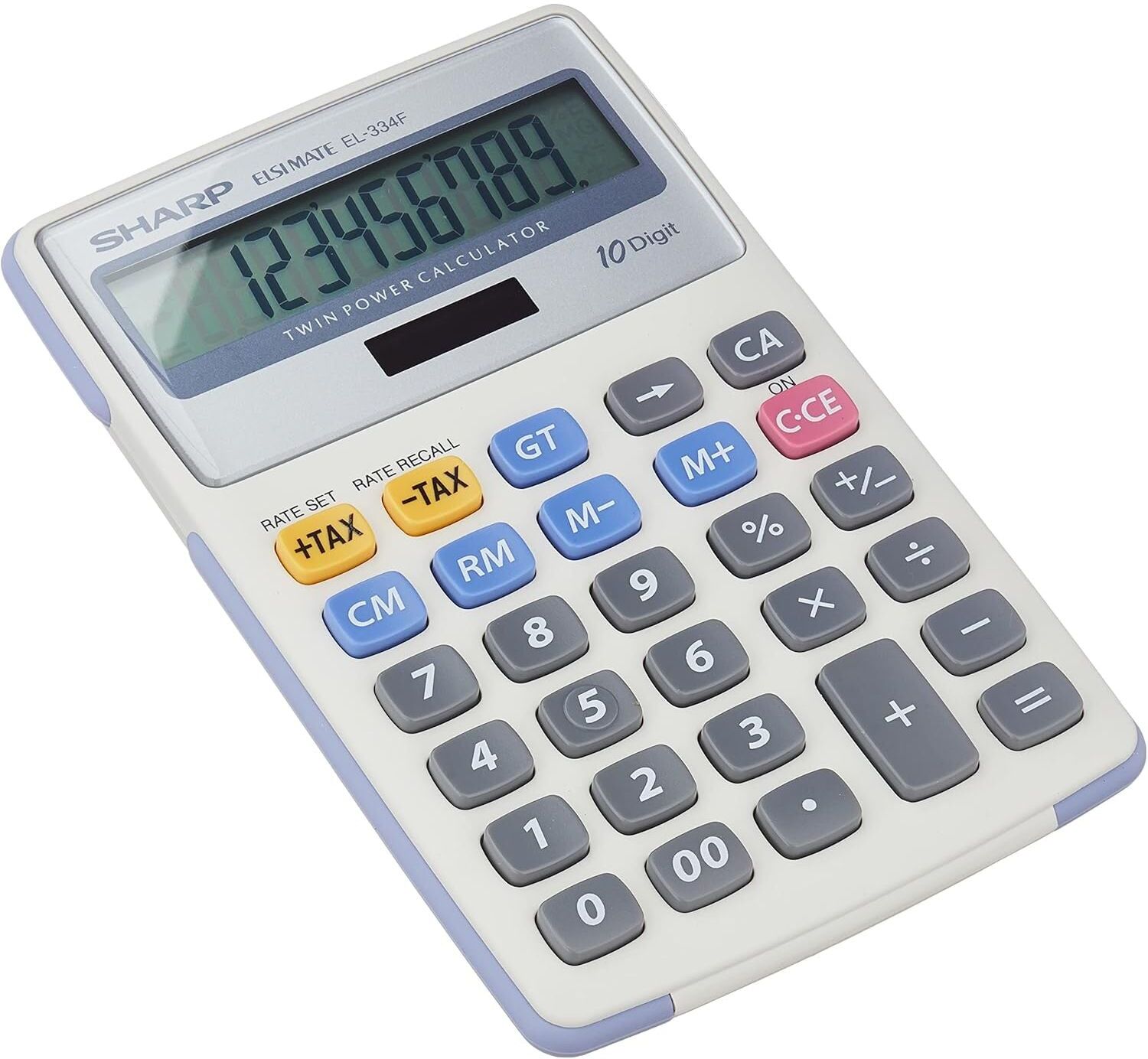
Sharp EL‑334 Calculator – Off‑WhiteMake everyday calculations simple and reliable with the Sharp EL‑334 Calculator in classic off‑white. This compact and easy‑to‑use desktop calculator is ideal for students, professionals and home users alike, offering essential arithmetic functions with clear visibility and dependable performance. Whether you’re balancing budgets, checking sums or working through school assignments, the EL‑334 delivers fast, accurate results in a durable, portable design. Key Features Easy‑to‑Read Display – Large, clear digits make results simple to view. Basic Arithmetic Functions – Addition, subtraction, multiplication and division for everyday tasks. Compact, Portable Design – Light and slim form factor fits neatly on desks, in bags or classrooms. Reliable Sharp Quality – Built to withstand daily use with consistent performance. User‑Friendly Layout – Intuitive keypad for quick and accurate input. Off‑White Finish – Neutral colour that blends with office or home environments. Benefits The Sharp EL‑334 Calculator is designed for straightforward, dependable calculating without unnecessary complexity. Compact and lightweight, it’s perfect for students working through maths problems, professionals managing figures, or anyone needing quick numeric results. Its clear display and tactile keys mean fewer errors and faster computing, making routine calculations more efficient and stress‑free. Specification Detail Product Name Sharp EL‑334 Calculator EAN/Barcode 4974019022727 Display Type Large Digit LCD Functions Add, Subtract, Multiply, Divide Design / Colour Off‑White Power Source Solar + Battery (if applicable) Portable Yes Brand Sharp12,49 £*Shipping: 0,00 £Secure redirect to the provider
-
Inspire Picks Knitting Ruler Gauge & Stitch Calculator Tool orangeMeasure stitches, check gauge, and keep knitting projects more consistent with this versatile knitting gauge ruler. Designed for knitters and DIY yarn crafters, this compact measuring tool helps evaluate stitch density and dimensions while planning...34,93 $*Shipping: 0,00 $Secure redirect to the provider
-
HTI Peppa Pig Cash Register Playset with Accessories - Working Calculator & ScannerBring shopping time to life with the HTI Peppa Pig Cash Register Playset. Designed for imaginative roleplay, this colourful checkout toy gives children everything they need to pretend to run a shop, serve customers, and complete their own shopping transactions. The cash register features a working calculator, allowing children to add up pretend purchases while developing confidence with numbers. A toy scanner produces a realistic beep when shopping items are scanned, and the till opens with a sound for added play value. Children can choose to pay with Peppa Pig play money or use the bank card with a contactless-style beep feature. The set includes a selection of pretend shopping accessories, including Peppa Pig notes, coins, a bank card, cardboard food items, and plastic food items. These accessories encourage open-ended play, whether children are acting as the shopkeeper, cashier, or customer. Playing with the Peppa Pig cash register can support imaginative thinking and social interaction.20,99 £*Shipping: 3,95 £Secure redirect to the provider
-
How can one repair a calculator?
To repair a calculator, first try replacing the batteries to see if that resolves the issue. If the problem persists, carefully open the calculator and check for any loose connections or damaged components. If you are comfortable with electronics, you can attempt to repair or replace any damaged parts such as the display, buttons, or circuit board. If the issue is more complex, it may be best to seek professional help from a technician or contact the manufacturer for repair options. **
-
How can I repair my Casio calculator?
To repair your Casio calculator, you can start by checking the batteries to ensure they are properly inserted and functioning. If the issue persists, you can try resetting the calculator by removing the batteries and leaving them out for a few minutes before reinserting them. If the problem still persists, you may need to contact Casio customer support for further assistance or take the calculator to a professional repair service. It's important to refer to the user manual for specific troubleshooting steps and contact information for customer support. **
-
What type of calculator is needed, a basic calculator or a student calculator?
A student calculator would be more suitable for most academic needs. Student calculators typically have more advanced functions such as trigonometric, logarithmic, and statistical functions, which are commonly used in math and science courses. Additionally, student calculators often have the ability to store and recall previous calculations, which can be helpful for problem-solving and checking work. Overall, a student calculator provides more functionality and versatility compared to a basic calculator, making it a better choice for academic use. **
-
Does my calculator count as a programmable calculator?
Yes, most calculators are considered programmable if they have the capability to store and execute user-defined programs. This means that you can write and store custom sequences of calculations or functions on your calculator. However, it's important to note that some exams or tests may have restrictions on the use of programmable calculators, so it's always best to check the rules beforehand. **
Similar search terms for Calculator
-
Inspire Curations Knitting Gauge Ruler And Stitch Calculator Multifunction Knitting Measuring Tool orangeTake the guesswork out of your next yarn project with a compact tool built for more accurate, consistent results. This knitting gauge ruler helps you measure stitch and row density so patterns are easier to size correctly. Designed as a practical...55,50 $*Shipping: 0,00 $Secure redirect to the provider
-
Uplift Picks Multifunction Knitting Gauge Ruler With Stitch Calculator Threader And Cutter Tool cyanTake the guesswork out of sizing stitches and planning your next project. This knitting gauge ruler helps measure stitch and row density so you can compare your swatch with pattern requirements. Accurate gauge matters because stitch count affects...57,98 $*Shipping: 0,00 $Secure redirect to the provider
-
Inspire Picks Knitting Ruler Gauge & Stitch Calculator Tool blueMeasure stitches, check gauge, and keep knitting projects more consistent with this versatile knitting gauge ruler. Designed for knitters and DIY yarn crafters, this compact measuring tool helps evaluate stitch density and dimensions while planning...34,93 $*Shipping: 0,00 $Secure redirect to the provider
-
Inspire Picks Knitting Ruler Gauge & Stitch Calculator Tool cyanMeasure stitches, check gauge, and keep knitting projects more consistent with this versatile knitting gauge ruler. Designed for knitters and DIY yarn crafters, this compact measuring tool helps evaluate stitch density and dimensions while planning...34,93 $*Shipping: 0,00 $Secure redirect to the provider
-
How can one fix a syntax error on a Casio calculator?
To fix a syntax error on a Casio calculator, you can try the following steps: 1. Check for any missing or misplaced parentheses, brackets, or quotation marks in your equation. 2. Make sure you are using the correct syntax for functions and operations on the calculator. 3. If the error persists, try breaking down the equation into smaller parts and entering them separately to identify where the error is occurring. **
-
How can I fix errors in an HTML/CSS/JavaScript calculator?
To fix errors in an HTML/CSS/JavaScript calculator, you can start by checking the console in your browser's developer tools for any error messages. This can help pinpoint where the issue lies. Next, review your code carefully to look for syntax errors, missing brackets, or incorrect variable names. You can also try commenting out sections of code to isolate the problem. Finally, consider seeking help from online resources, forums, or communities where experienced developers can provide guidance on troubleshooting and fixing the errors. **
-
Why math calculator?
A math calculator is a useful tool for performing complex mathematical calculations quickly and accurately. It can handle a wide range of mathematical functions, including arithmetic, algebra, trigonometry, and calculus, making it a versatile tool for students, professionals, and anyone else who needs to work with numbers. Additionally, a math calculator can help users check their work and verify their answers, reducing the risk of errors in their calculations. Overall, a math calculator is an essential tool for anyone working with numbers, providing convenience, accuracy, and efficiency in mathematical tasks. **
-
How can one fix a syntax error on a Casio pocket calculator?
To fix a syntax error on a Casio pocket calculator, you can try clearing the calculator's memory by pressing the "SHIFT" and "9" buttons simultaneously. If that doesn't work, you can try resetting the calculator by pressing the "SHIFT," "9," and "AC" buttons simultaneously. If the error persists, you may need to consult the user manual for specific troubleshooting steps or contact Casio customer support for assistance. **
* All prices are inclusive of VAT and, if applicable, plus shipping costs. The offer information is based on the details provided by the respective shop and is updated through automated processes. Real-time updates do not occur, so deviations can occur in individual cases. ** Note: Parts of this content were created by AI.