Buy reparieren.eu ?
We are moving the project
reparieren.eu .
Are you interested in purchasing the domain
reparieren.eu ?
domain@kv-gmbh.de · 0541-91531010
Buy reparieren.eu ?
How can you repair the Samsung Galaxy J5?
To repair the Samsung Galaxy J5, you can start by identifying the specific issue with the phone, such as a cracked screen, malfunctioning camera, or battery problems. Once you have identified the issue, you can either attempt to fix it yourself using online tutorials and repair kits, or take it to a professional repair service. If the issue is related to software, you can try resetting the phone or updating the software. If the issue is hardware-related, it may require replacing the damaged parts or components. It's important to be cautious and follow proper procedures when attempting to repair the Samsung Galaxy J5 to avoid causing further damage. **
How can I fix water damage on the Galaxy S7?
To fix water damage on a Galaxy S7, you can try the following steps: 1. Immediately turn off the phone and do not attempt to charge it. 2. Remove the SIM card and any other removable parts, then gently dry the phone with a soft cloth. 3. Place the phone in a bag of uncooked rice or silica gel packets for at least 48 hours to absorb moisture. If the issue persists, seek professional help from a phone repair service. **

Similar search terms for Galaxy
Top-Angebote
Products related to Galaxy:
-
Inspire Daily Merch Car Headlight Restoration Polish Liquid Polymer Auto Headlight Renovation Repair Kit carton KitRestore Your Car Headlights Like New The Car Headlight Restoration Polish Kit 800ML is your perfect solution. This easytouse liquid polymer formula is specifically designed to restore your car headlights to their original condition, removing haze,...169,97 $*Shipping: 0,00 $Secure redirect to the provider
-
Inspire Daily Merch Car Headlight Restoration Polish Liquid Polymer Auto Headlight Renovation Repair Kit toolbox KitRestore Your Car Headlights Like New The Car Headlight Restoration Polish Kit 800ML is your perfect solution. This easytouse liquid polymer formula is specifically designed to restore your car headlights to their original condition, removing haze,...169,97 $*Shipping: 0,00 $Secure redirect to the provider


-
How can one repair the crack on the screen of the Samsung Galaxy S8 or fix the green flickering?
To repair a crack on the screen of a Samsung Galaxy S8, you can either take it to a professional repair service or attempt to replace the screen yourself by purchasing a replacement screen kit. If the screen is flickering green, it could be due to a software issue or a hardware problem. Try restarting the phone or performing a factory reset to see if the issue resolves. If the problem persists, it may require professional repair or replacement of the display. **
-
How can I fix the zoom camera on my Galaxy A50?
To fix the zoom camera on your Galaxy A50, you can try the following steps: 1. Restart your phone: Sometimes, a simple restart can resolve camera issues. 2. Clear the camera app cache: Go to Settings > Apps > Camera > Storage > Clear Cache. 3. Update the camera app: Make sure you have the latest version of the camera app installed on your phone. 4. Reset camera settings: Go to Camera app > Settings > Reset settings. If the issue persists, you may need to contact Samsung customer support for further assistance. **
-
How can I fix water damage on my Galaxy Watch Active?
To fix water damage on your Galaxy Watch Active, you can try the following steps: 1. Turn off the watch and remove it from the water immediately to prevent further damage. 2. Gently dry the watch with a soft, absorbent cloth and remove any visible water from the surface. 3. Place the watch in a bowl of uncooked rice or silica gel packets to help absorb moisture from the device. 4. Let the watch sit in the rice or silica gel for at least 24-48 hours to ensure that all moisture is removed. 5. After the watch has dried completely, turn it on and check if it is functioning properly. If the issue persists, you may need to contact Samsung support for further assistance. **
-
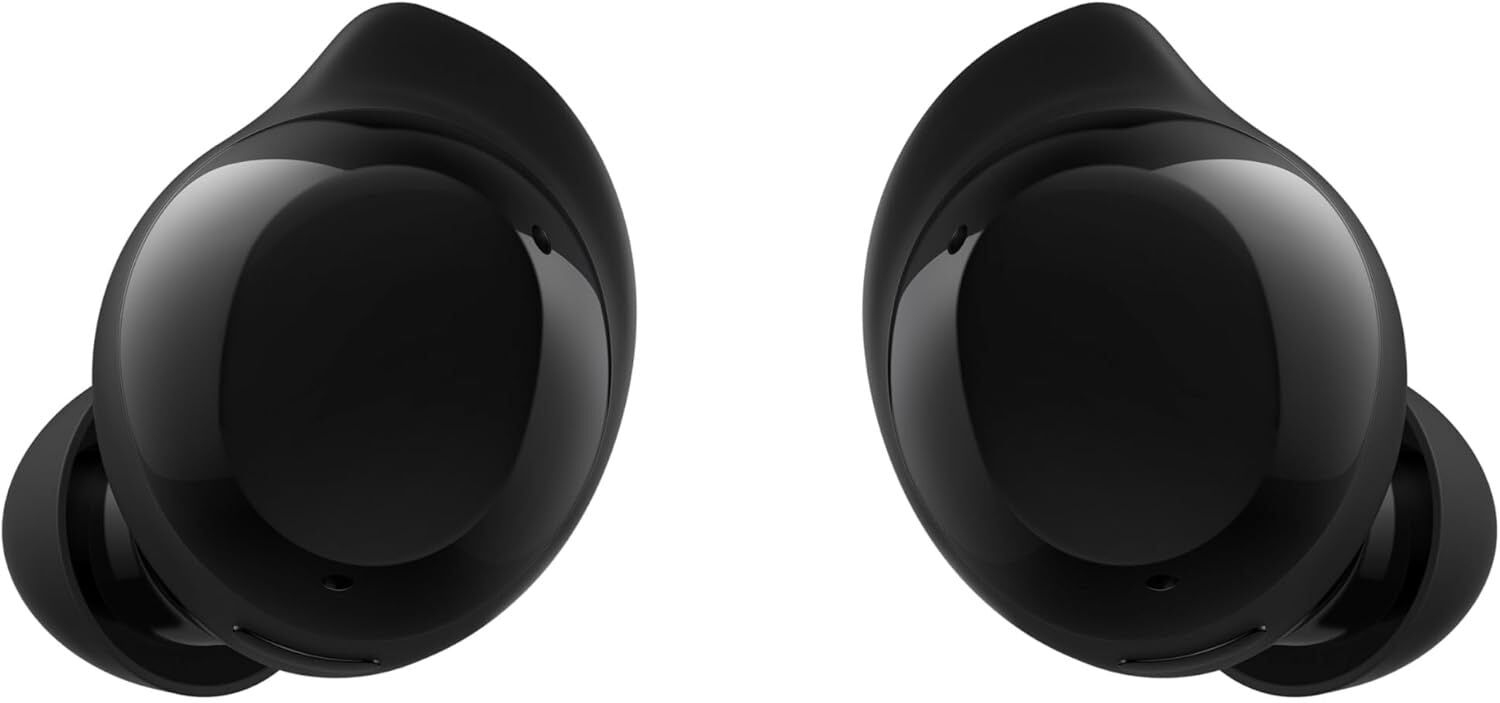
How can I fix sound problems with the Samsung Galaxy Buds?
If you are experiencing sound problems with your Samsung Galaxy Buds, there are a few troubleshooting steps you can try. First, make sure the buds are fully charged and that the Bluetooth connection is stable. You can also try resetting the buds by placing them in the case and holding down the touchpad for 7 seconds until the indicator light flashes red. Additionally, cleaning the earbuds and the charging contacts with a soft, dry cloth can help improve sound quality. If these steps do not resolve the issue, you may need to contact Samsung customer support for further assistance. **


How can I repair my Galaxy Buds that were accidentally washed?
If your Galaxy Buds were accidentally washed, the first step is to immediately remove them from the water and dry them off with a soft cloth. Do not try to turn them on or charge them as this can cause further damage. Place the buds in a bowl of uncooked rice or silica gel packets to help absorb any moisture. Leave them in a dry place for at least 48 hours before attempting to use them again. If they still do not work after this time, it may be necessary to contact Samsung for repair or replacement options. **
How can I repair the zoom camera on my Galaxy A50?
To repair the zoom camera on your Galaxy A50, you can try the following steps: 1. Restart your phone to see if the issue resolves itself. 2. Check for any software updates for your phone and camera app. 3. If the issue persists, you may need to contact Samsung customer support or visit a certified repair center to have the camera inspected and repaired by a professional. **
Top-Angebote
Products related to Galaxy:
-
SAMSUNG Galaxy Buds Core – ANC, Galaxy AI Voice Translation, BlackThe Samsung Galaxy Buds Core (Black) deliver premium wireless sound with Active Noise Cancellation (ANC), Galaxy AI voice translation, long-lasting battery life, and water-resistant design, perfect for work, travel, and everyday listening. Overview: Experience next-level wireless audio with the Samsung Galaxy Buds Core. Designed for seamless integration with Galaxy devices, they feature ANC to block unwanted noise and Galaxy AI-powered voice translation to help you communicate across languages in real time. With all-day battery life, fast charging, and a water-resistant build, they’re built for both productivity and lifestyle. The comfortable in-ear fit and high-quality sound make them ideal for music, calls, and travel. Key Features: Active Noise Cancellation (ANC) – Block out distractions for immersive sound Galaxy AI Voice Translation – Real-time language translation through Galaxy AI Long Battery Life – All-day listening with quick charging support Water-Resistant Design – Durable and reliable for workouts or outdoor use Premium Sound Quality – Rich audio tuned for clarity and depth Comfortable In-Ear Fit – Secure, lightweight, and designed for all-day wear Seamless Galaxy Integration – Optimised for Samsung Galaxy devices and Android Smart Touch Controls – Easily manage music, calls, and settings Sleek Black Finish – Stylish and modern design Product Description: The Samsung Galaxy Buds Core – Black are designed to combine premium sound with smart, AI-powered features. With Active Noise Cancellation, you’ll enjoy immersive listening without distractions, while Galaxy AI voice translation breaks down language barriers in real time. Perfect for travel, work, or everyday use, the Buds Core offer long-lasting battery life, water-resistant durability, and seamless connectivity with Galaxy devices. Compact, stylish, and powerful, they’re built for music lovers, frequent travellers, and professionals alike.49,99 £*Shipping: 0,00 £Secure redirect to the provider
-
Uplift Essentials Oil Change Maintenance Service Reminder Stickers Oil Change Maintenance Service Reminder StickersNever miss a crucial vehicle checkup, filter replacement, or mileage milestone again with these professional oil change reminder stickers. Designed specifically for clear windshield application, these lowtack static cling labels allow mechanics,...37,97 $*Shipping: 0,00 $Secure redirect to the provider
-
Inspire Daily Merch Car Headlight Restoration Polish Liquid Polymer Auto Headlight Renovation Repair Kit carton KitRestore Your Car Headlights Like New The Car Headlight Restoration Polish Kit 800ML is your perfect solution. This easytouse liquid polymer formula is specifically designed to restore your car headlights to their original condition, removing haze,...169,97 $*Shipping: 0,00 $Secure redirect to the provider
-
How can you repair the Samsung Galaxy J5?
To repair the Samsung Galaxy J5, you can start by identifying the specific issue with the phone, such as a cracked screen, malfunctioning camera, or battery problems. Once you have identified the issue, you can either attempt to fix it yourself using online tutorials and repair kits, or take it to a professional repair service. If the issue is related to software, you can try resetting the phone or updating the software. If the issue is hardware-related, it may require replacing the damaged parts or components. It's important to be cautious and follow proper procedures when attempting to repair the Samsung Galaxy J5 to avoid causing further damage. **
-
How can I fix water damage on the Galaxy S7?
To fix water damage on a Galaxy S7, you can try the following steps: 1. Immediately turn off the phone and do not attempt to charge it. 2. Remove the SIM card and any other removable parts, then gently dry the phone with a soft cloth. 3. Place the phone in a bag of uncooked rice or silica gel packets for at least 48 hours to absorb moisture. If the issue persists, seek professional help from a phone repair service. **
-
How can one repair the crack on the screen of the Samsung Galaxy S8 or fix the green flickering?
To repair a crack on the screen of a Samsung Galaxy S8, you can either take it to a professional repair service or attempt to replace the screen yourself by purchasing a replacement screen kit. If the screen is flickering green, it could be due to a software issue or a hardware problem. Try restarting the phone or performing a factory reset to see if the issue resolves. If the problem persists, it may require professional repair or replacement of the display. **
-
How can I fix the zoom camera on my Galaxy A50?
To fix the zoom camera on your Galaxy A50, you can try the following steps: 1. Restart your phone: Sometimes, a simple restart can resolve camera issues. 2. Clear the camera app cache: Go to Settings > Apps > Camera > Storage > Clear Cache. 3. Update the camera app: Make sure you have the latest version of the camera app installed on your phone. 4. Reset camera settings: Go to Camera app > Settings > Reset settings. If the issue persists, you may need to contact Samsung customer support for further assistance. **
Similar search terms for Galaxy
-
Inspire Daily Merch Car Headlight Restoration Polish Liquid Polymer Auto Headlight Renovation Repair Kit toolbox KitRestore Your Car Headlights Like New The Car Headlight Restoration Polish Kit 800ML is your perfect solution. This easytouse liquid polymer formula is specifically designed to restore your car headlights to their original condition, removing haze,...169,97 $*Shipping: 0,00 $Secure redirect to the provider
-
How can I fix water damage on my Galaxy Watch Active?
To fix water damage on your Galaxy Watch Active, you can try the following steps: 1. Turn off the watch and remove it from the water immediately to prevent further damage. 2. Gently dry the watch with a soft, absorbent cloth and remove any visible water from the surface. 3. Place the watch in a bowl of uncooked rice or silica gel packets to help absorb moisture from the device. 4. Let the watch sit in the rice or silica gel for at least 24-48 hours to ensure that all moisture is removed. 5. After the watch has dried completely, turn it on and check if it is functioning properly. If the issue persists, you may need to contact Samsung support for further assistance. **
-
How can I fix sound problems with the Samsung Galaxy Buds?
If you are experiencing sound problems with your Samsung Galaxy Buds, there are a few troubleshooting steps you can try. First, make sure the buds are fully charged and that the Bluetooth connection is stable. You can also try resetting the buds by placing them in the case and holding down the touchpad for 7 seconds until the indicator light flashes red. Additionally, cleaning the earbuds and the charging contacts with a soft, dry cloth can help improve sound quality. If these steps do not resolve the issue, you may need to contact Samsung customer support for further assistance. **
-
How can I repair my Galaxy Buds that were accidentally washed?
If your Galaxy Buds were accidentally washed, the first step is to immediately remove them from the water and dry them off with a soft cloth. Do not try to turn them on or charge them as this can cause further damage. Place the buds in a bowl of uncooked rice or silica gel packets to help absorb any moisture. Leave them in a dry place for at least 48 hours before attempting to use them again. If they still do not work after this time, it may be necessary to contact Samsung for repair or replacement options. **
-
How can I repair the zoom camera on my Galaxy A50?
To repair the zoom camera on your Galaxy A50, you can try the following steps: 1. Restart your phone to see if the issue resolves itself. 2. Check for any software updates for your phone and camera app. 3. If the issue persists, you may need to contact Samsung customer support or visit a certified repair center to have the camera inspected and repaired by a professional. **
* All prices are inclusive of VAT and, if applicable, plus shipping costs. The offer information is based on the details provided by the respective shop and is updated through automated processes. Real-time updates do not occur, so deviations can occur in individual cases. ** Note: Parts of this content were created by AI.