Buy reparieren.eu ?
We are moving the project
reparieren.eu .
Are you interested in purchasing the domain
reparieren.eu ?
domain@kv-gmbh.de · 0541-91531010
Buy reparieren.eu ?
Why does the Xerox 6510 create stripes when printing?
The Xerox 6510 may create stripes when printing due to a variety of reasons such as clogged printheads, low ink levels, or a misaligned print head. Additionally, using low-quality or incompatible paper can also cause striping issues. Regular maintenance such as cleaning the printheads and ensuring proper ink levels can help prevent striping during printing with the Xerox 6510. **
Why does the Xerox 6510 produce stripes when printing?
The Xerox 6510 may produce stripes when printing due to a few possible reasons. One common cause is that the toner cartridge may be running low or unevenly distributed, leading to inconsistent coverage on the page. Another reason could be that the printer's drum or fuser unit is dirty or damaged, causing irregularities in the printing process. Additionally, the printer's settings or driver software may need to be adjusted to ensure proper alignment and calibration. Regular maintenance and troubleshooting can help identify and address the specific issue causing the striping. **

Similar search terms for Xerox
Top-Angebote
Products related to Xerox:
-
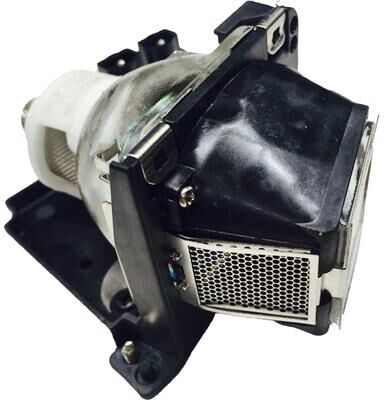
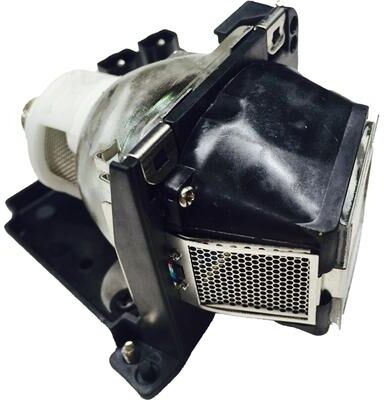
Jaspertronics™ Lamp & Housing for the Xerox DP 820 Projector w Original Ushio Lamp Inside - 1 Year WarrantyNew Jaspertronics™ Original Lamp & Housing Module for the following Xerox models: DP 820 Lamp Specifications Specifications Data Product Code DP 820 Part Type Lamp and Housing Warranty Industry Leading 1 Year Warranty Condition New Lamp Type Ushio...94,99 $*Shipping: 0,00 $Secure redirect to the provider
-
Uplift Essentials Oil Change Maintenance Service Reminder Stickers Oil Change Maintenance Service Reminder StickersNever miss a crucial vehicle checkup, filter replacement, or mileage milestone again with these professional oil change reminder stickers. Designed specifically for clear windshield application, these lowtack static cling labels allow mechanics,...37,97 $*Shipping: 0,00 $Secure redirect to the provider
-
Inspire Daily Merch Car Headlight Restoration Polish Liquid Polymer Auto Headlight Renovation Repair Kit toolbox KitRestore Your Car Headlights Like New The Car Headlight Restoration Polish Kit 800ML is your perfect solution. This easytouse liquid polymer formula is specifically designed to restore your car headlights to their original condition, removing haze,...169,97 $*Shipping: 0,00 $Secure redirect to the provider
-
Drop Dash Deals Vehicle Maintenance Ramp For Car Service And Oil Changing Vehicle Maintenance Ramp For Car Service And Oil ChangingEffortlessly lift your vehicle with our 2Piece Vehicle Maintenance Ramp, designed for car service and oil changing. Built to support up to 8800 lbs, these durable ramps ensure a safe, stable lift, making them ideal for athome mechanics or...74,97 $*Shipping: 0,00 $Secure redirect to the provider


-
Why is the Xerox Phaser 6510 printer not turning on?
There could be several reasons why the Xerox Phaser 6510 printer is not turning on. It could be due to a power issue, such as a faulty power cord or outlet. Another possibility is that there may be a problem with the printer's internal components, such as a malfunctioning power supply or circuit board. It is also possible that the printer's firmware may need to be updated or that there is a software issue preventing it from powering on. Troubleshooting steps such as checking the power source, ensuring all connections are secure, and contacting technical support may help identify and resolve the issue. **
-
How do you disable printing a test page when turning on the Xerox Phaser?
To disable printing a test page when turning on the Xerox Phaser, you can access the printer's settings menu. Look for an option related to test pages or startup pages and disable it. This will prevent the printer from automatically printing a test page every time it is turned on. If you are unable to find this option in the settings menu, you can refer to the printer's user manual for specific instructions on how to disable the test page feature. **
-
How do you disable the printing of a test page when turning on the Xerox Phaser?
To disable the printing of a test page when turning on the Xerox Phaser, you can access the printer's settings menu. Look for an option related to test pages or startup pages and disable it. This can usually be done through the printer's control panel or by accessing the printer's settings through a computer. If you're having trouble finding the option, consult the printer's user manual or contact Xerox customer support for assistance. **
-
Can a PC repair service help fix the Windows update error and boot loop?
Yes, a PC repair service can help fix the Windows update error and boot loop. They can diagnose the issue and provide solutions to fix the error, such as repairing corrupted system files, resolving software conflicts, or updating device drivers. Additionally, they can help troubleshoot and resolve any hardware issues that may be causing the boot loop. With their expertise and experience, a PC repair service can effectively address these issues and get your computer back up and running smoothly. **


Has anyone ever hired a window renovation service?
Yes, many people have hired window renovation services to update and improve the windows in their homes or businesses. These services can include replacing old windows with more energy-efficient models, repairing damaged windows, or simply updating the look of the windows with new frames or treatments. Hiring a professional window renovation service can help improve the overall appearance and functionality of a building's windows. **
What is the difference between maintenance and repair?
Maintenance refers to routine tasks performed to prevent equipment or systems from failing, such as cleaning, lubricating, and inspecting. Repair, on the other hand, involves fixing a broken or malfunctioning component or system to restore it to proper working condition. Maintenance is proactive and helps prevent breakdowns, while repair is reactive and addresses issues that have already occurred. **
Top-Angebote
Products related to Xerox:
-
Xerox 108R00724 Original Magenta Solid Ink Cartridge for Phaser 8560 PrinterDescription Achieve vibrant, professional-quality colour prints with the Xerox 108R00724 Original Magenta Solid Ink Cartridge. Designed specifically for Xerox Phaser printers, this genuine solid ink cartridge delivers rich magenta colours, smooth graphics, and consistent print quality for business documents, presentations, and creative materials. The Xerox Magenta Solid Ink cartridge provides reliable performance and easy installation, helping maintain optimal printer operation while reducing downtime. With an approximate yield of 3,400 pages, it is ideal for offices requiring high-quality colour printing with dependable results. Using original Xerox solid ink technology ensures accurate colour reproduction, excellent image quality, and consistent output throughout the cartridge life.28,99 £*Shipping: 0,00 £Secure redirect to the provider
-
AL™ Series Lamp & Housing for the Xerox DP 820 Projector - 90 Day WarrantyNew aftermarket Lamp and Housing for the following Xerox models: DP 820 Lamp Specifications Specifications Data Product Code DP 820 Part Type Lamp and Housing Warranty 90 Days Condition New Lamp Type Genuine AL™ Series Discounts Available Volume,...54,99 $*Shipping: 0,00 $Secure redirect to the provider
-
Jaspertronics™ Lamp & Housing for the Xerox DP 820 Projector w Original Ushio Lamp Inside - 1 Year WarrantyNew Jaspertronics™ Original Lamp & Housing Module for the following Xerox models: DP 820 Lamp Specifications Specifications Data Product Code DP 820 Part Type Lamp and Housing Warranty Industry Leading 1 Year Warranty Condition New Lamp Type Ushio...94,99 $*Shipping: 0,00 $Secure redirect to the provider
-
Uplift Essentials Oil Change Maintenance Service Reminder Stickers Oil Change Maintenance Service Reminder StickersNever miss a crucial vehicle checkup, filter replacement, or mileage milestone again with these professional oil change reminder stickers. Designed specifically for clear windshield application, these lowtack static cling labels allow mechanics,...37,97 $*Shipping: 0,00 $Secure redirect to the provider
-
Why does the Xerox 6510 create stripes when printing?
The Xerox 6510 may create stripes when printing due to a variety of reasons such as clogged printheads, low ink levels, or a misaligned print head. Additionally, using low-quality or incompatible paper can also cause striping issues. Regular maintenance such as cleaning the printheads and ensuring proper ink levels can help prevent striping during printing with the Xerox 6510. **
-
Why does the Xerox 6510 produce stripes when printing?
The Xerox 6510 may produce stripes when printing due to a few possible reasons. One common cause is that the toner cartridge may be running low or unevenly distributed, leading to inconsistent coverage on the page. Another reason could be that the printer's drum or fuser unit is dirty or damaged, causing irregularities in the printing process. Additionally, the printer's settings or driver software may need to be adjusted to ensure proper alignment and calibration. Regular maintenance and troubleshooting can help identify and address the specific issue causing the striping. **
-
Why is the Xerox Phaser 6510 printer not turning on?
There could be several reasons why the Xerox Phaser 6510 printer is not turning on. It could be due to a power issue, such as a faulty power cord or outlet. Another possibility is that there may be a problem with the printer's internal components, such as a malfunctioning power supply or circuit board. It is also possible that the printer's firmware may need to be updated or that there is a software issue preventing it from powering on. Troubleshooting steps such as checking the power source, ensuring all connections are secure, and contacting technical support may help identify and resolve the issue. **
-
How do you disable printing a test page when turning on the Xerox Phaser?
To disable printing a test page when turning on the Xerox Phaser, you can access the printer's settings menu. Look for an option related to test pages or startup pages and disable it. This will prevent the printer from automatically printing a test page every time it is turned on. If you are unable to find this option in the settings menu, you can refer to the printer's user manual for specific instructions on how to disable the test page feature. **
Similar search terms for Xerox
-
Inspire Daily Merch Car Headlight Restoration Polish Liquid Polymer Auto Headlight Renovation Repair Kit toolbox KitRestore Your Car Headlights Like New The Car Headlight Restoration Polish Kit 800ML is your perfect solution. This easytouse liquid polymer formula is specifically designed to restore your car headlights to their original condition, removing haze,...169,97 $*Shipping: 0,00 $Secure redirect to the provider
-
Drop Dash Deals Vehicle Maintenance Ramp For Car Service And Oil Changing Vehicle Maintenance Ramp For Car Service And Oil ChangingEffortlessly lift your vehicle with our 2Piece Vehicle Maintenance Ramp, designed for car service and oil changing. Built to support up to 8800 lbs, these durable ramps ensure a safe, stable lift, making them ideal for athome mechanics or...74,97 $*Shipping: 0,00 $Secure redirect to the provider
-
All Categories Goods Fix It Sticks Maintenance Compact All In One Torque Driver Kit FISMUTK Fix It Sticks Maintenance Compact All In One Torque Driver Kit FISMUTKUnlock precision and convenience with the Fix It Sticks Maintenance Compact 19pc AllinOne Torque Driver Kit. Designed for professionals and hobbyists alike, this versatile kit provides the tools needed for field repairs and routine maintenance,...309,97 $*Shipping: 0,00 $Secure redirect to the provider
-
Drop Dash Deals Sunshade Repair Kit For Sunroof Shade Fix Sunshade Repair Kit For Sunroof Shade FixBring your Mercedes cabin back to the clean, comfortable feel it was meant to have with this 1 pc of kit Mercedes sunshade repair kit. Made for EClass owners dealing with a sagging, stuck, or broken shade, it offers a practical fix without the cost...53,97 $*Shipping: 0,00 $Secure redirect to the provider
-
How do you disable the printing of a test page when turning on the Xerox Phaser?
To disable the printing of a test page when turning on the Xerox Phaser, you can access the printer's settings menu. Look for an option related to test pages or startup pages and disable it. This can usually be done through the printer's control panel or by accessing the printer's settings through a computer. If you're having trouble finding the option, consult the printer's user manual or contact Xerox customer support for assistance. **
-
Can a PC repair service help fix the Windows update error and boot loop?
Yes, a PC repair service can help fix the Windows update error and boot loop. They can diagnose the issue and provide solutions to fix the error, such as repairing corrupted system files, resolving software conflicts, or updating device drivers. Additionally, they can help troubleshoot and resolve any hardware issues that may be causing the boot loop. With their expertise and experience, a PC repair service can effectively address these issues and get your computer back up and running smoothly. **
-
Has anyone ever hired a window renovation service?
Yes, many people have hired window renovation services to update and improve the windows in their homes or businesses. These services can include replacing old windows with more energy-efficient models, repairing damaged windows, or simply updating the look of the windows with new frames or treatments. Hiring a professional window renovation service can help improve the overall appearance and functionality of a building's windows. **
-
What is the difference between maintenance and repair?
Maintenance refers to routine tasks performed to prevent equipment or systems from failing, such as cleaning, lubricating, and inspecting. Repair, on the other hand, involves fixing a broken or malfunctioning component or system to restore it to proper working condition. Maintenance is proactive and helps prevent breakdowns, while repair is reactive and addresses issues that have already occurred. **
* All prices are inclusive of VAT and, if applicable, plus shipping costs. The offer information is based on the details provided by the respective shop and is updated through automated processes. Real-time updates do not occur, so deviations can occur in individual cases. ** Note: Parts of this content were created by AI.