Buy reparieren.eu ?
We are moving the project
reparieren.eu .
Are you interested in purchasing the domain
reparieren.eu ?
domain@kv-gmbh.de · 0541-91531010
Buy reparieren.eu ?
Which is better, the Asus Vivobook 16x or the Asus Vivobook 15?
The better option between the Asus Vivobook 16x and the Asus Vivobook 15 depends on your specific needs. The Vivobook 16x offers a larger 16-inch display, which is great for multitasking and immersive viewing, while the Vivobook 15 has a more compact 15-inch display, making it more portable. If you prioritize screen size and productivity, the Vivobook 16x may be the better choice. However, if you value portability and a more compact design, the Vivobook 15 could be the better option for you. **
Why is the Asus Vivobook not starting?
The Asus Vivobook may not be starting due to a variety of reasons such as a drained battery, faulty power adapter, hardware issues, or software malfunctions. It is recommended to first check if the power adapter is properly connected and the battery is charged. If the issue persists, try performing a hard reset by holding down the power button for 30 seconds. If the problem continues, it may be necessary to seek professional assistance to diagnose and fix the underlying cause. **


Similar search terms for Asus-VivoBook-X515JA-Intel
Top-Angebote
Products related to Asus-VivoBook-X515JA-Intel:
-
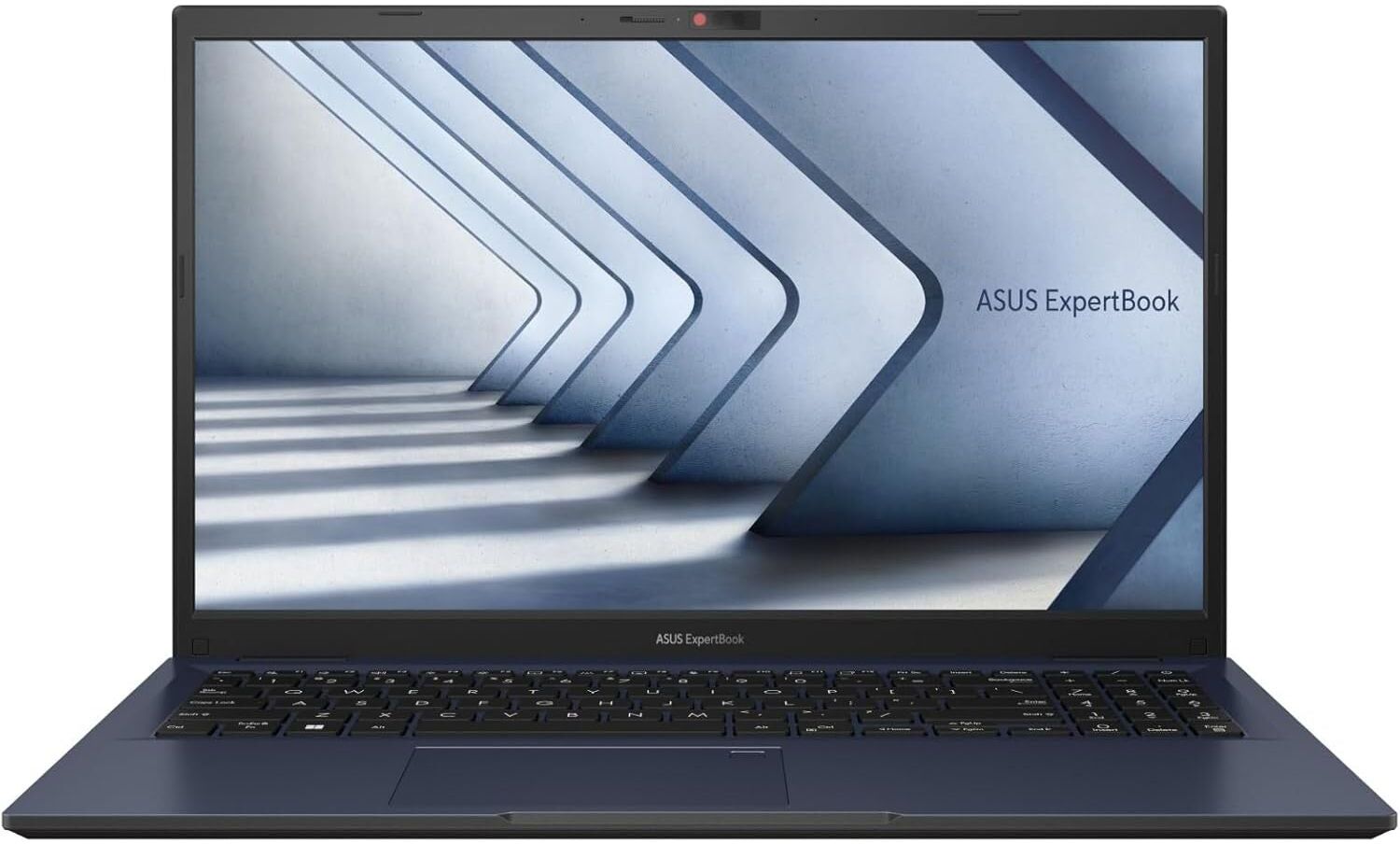
Gadcet Chadwell Heath ASUS ExpertBook B1 15.6" Laptop – Intel Core i5-1235U, 16GB RAM, 512GB NVMe SSD, Windows 11, Used - GoodOverview Stay productive at work, home or on the move with the ASUS ExpertBook 15.6" Laptop. Built for business, study, browsing, office work and everyday multitasking, this laptop features a 12th Gen Intel Core i5-1235U processor, 16GB RAM, 512GB NVMe SSD storage, integrated Intel graphics and Windows 11. The matching ASUS ExpertBook B1 B1502CBA configuration is listed with a 15.6" Full HD display, Intel Core i5-1235U processor, 16GB DDR4 memory, 512GB NVMe SSD, Wi-Fi 6E and Windows 11 Pro on retailer specifications. Key Features & Benefits Reliable Intel Core i5 Performance The 12th Gen Intel Core i5-1235U processor is built for everyday productivity, including emails, documents, spreadsheets, browsing, video calls and multitasking. ASUS lists the processor with 10 cores, 12MB cache and up to 4.4GHz speed. 16GB RAM for Smooth Multitasking With 16GB RAM, this ExpertBook is well suited for running multiple browser tabs, Microsoft Office apps, cloud tools and everyday work programmes at the same time. Fast 512GB NVMe SSD Storage The 512GB NVMe SSD helps the laptop start quickly, open apps faster and store documents, downloads, work files, photos and business data efficiently. 15.6" Full HD Display The 15.6" Full HD screen gives you a comfortable workspace for documents, browsing, online meetings and streaming. The B1502CBA-BQi515X configuration is listed with a 1920 x 1080 Full HD anti-glare display. Windows 11 for Modern Productivity Windows 11 gives you a familiar and modern platform for work, study, browsing, Microsoft apps and everyday computing. Exact Windows edition may vary by supplied unit. Integrated Intel Graphics Integrated Intel graphics support everyday visuals, presentations, video playback, online meetings and light creative tasks. Business-Friendly Connectivity The listed B1502CBA configuration includes Wi-Fi 6E, Bluetooth, Gigabit Ethernet and practical ports for office setups, accessories, external displays and wired networks. Designed for Work and Study The ExpertBook range is built for productivity, with ASUS positioning the ExpertBook B series for business users needing durability, security and manageability. Why Choose This Product The ASUS ExpertBook 15.6" is a strong choice for customers who need a dependable Windows laptop for business, education and everyday use. With Intel Core i5 performance, 16GB RAM and fast 512GB SSD storage, it offers the speed and reliability needed for daily work without moving into premium workstation pricing. It is ideal for office users, students, home workers and anyone needing a capable laptop for productivity. Specifications Table Specification Details Brand ASUS Series ExpertBook Closest Matching Model ExpertBook B1 B1502CBA Product Type Business Laptop / Notebook Display Size 15.6 inches Display Resolution Full HD 1920 x 1080 Processor Intel Core i5-1235U Processor Generation 12th Gen Intel Core Processor Cores 10 cores Max Processor Speed Up to 4.4GHz RAM 16GB Memory Type DDR4 listed on...449,00 £*Shipping: 0,00 £Secure redirect to the provider
-
Inspired Deals Asus ROG Ally X Bezel Replacement Middle Frame Plate Durable Fit For Asus ROG Xbox AllyBring your handheld gaming device back to life with this precisionfit Asus ROG Ally X bezel replacement. Designed specifically for gamers who demand both performance and aesthetics, this RC73XA middle frame restores your consoles structure and clean...74,97 $*Shipping: 0,00 $Secure redirect to the provider
-
Asus Chromebook 15 CX1505CKA Laptop - Fabric BlueDescription The ASUS Chromebook 15 CX1505CKA Laptop combines a 15.6-inch Full HD screen with an Intel Celeron N4500 processor, 4GB RAM and 64GB eMMC storage. It is designed for users who want to boost productivity and enjoy everyday entertainment while on the move. Its 15.6-inch screen has a 60Hz refresh rate, while ChromeOS provides a fast and secure operating system from Google. Sign in with a Google Account to access built-in Google Workspace apps such as Docs and Sheets, making it suitable for everyday work and study tasks. Microsoft 365 can be used through a web browser to create and edit Word, Excel and PowerPoint files. Desktop versions cannot be installed, and a Microsoft 365 subscription is required for additional functionality. An essential addition for mobile productivity, web-based work and everyday Chromebook use.372,99 £*Shipping: 0,00 £Secure redirect to the provider
-
Asus 27" TUF Gaming Monitor (VG279Q3A) - BlackDescription Ideal for professional gamers and anyone seeking immersive gameplay, the ASUS 27" TUF Gaming Monitor (VG279Q3A) combines Full HD resolution with a fast 180Hz refresh rate for smooth, detailed gaming visuals. Its Fast IPS panel and 1ms response time support responsive on-screen action during fast-paced play. ASUS Extreme Low Motion Blur Sync technology allows ELMB and variable-refresh-rate technologies to operate simultaneously, helping to reduce ghosting and tearing while maintaining sharp visuals at high frame rates. FreeSync Premium and G-Sync compatibility enable variable refresh rate by default for a seamless, tear-free gaming experience. Shadow Boost enhances detail in dark areas by brightening scenes without over-exposing brighter parts of the image. With 99% sRGB colour coverage and VESA support, this black monitor is well suited to gaming setups where fluid performance and clear image detail are important. An essential addition for professional gamers and immersive home gaming spaces.225,49 £*Shipping: 0,00 £Secure redirect to the provider


-
Is the display of the Asus Vivobook broken?
Without further information or context, it is impossible to determine if the display of the Asus Vivobook is broken. Common signs of a broken display include a blank screen, flickering images, or visible cracks. If any of these symptoms are present, it is likely that the display is broken and may require repair or replacement. It is recommended to consult a professional technician for a proper diagnosis and solution. **
-
Why is the Asus Vivobook not turning on?
There could be several reasons why the Asus Vivobook is not turning on. It could be due to a drained battery, a faulty power adapter, a hardware issue, or a software problem. It's important to troubleshoot the issue by checking the power source, trying a different power adapter, and performing a hard reset. If the problem persists, it may be necessary to seek professional assistance to diagnose and fix the issue. **
-
Does the Asus Vivobook Flip 14 open windows automatically?
No, the Asus Vivobook Flip 14 does not open windows automatically. It operates like any other laptop and requires the user to manually open and close windows and applications. The user has full control over the operating system and can choose which windows to open and when to open them. **
-
Is the graphics of the Asus Vivobook 15 bad?
The graphics of the Asus Vivobook 15 are not bad, but they are not top-of-the-line either. The laptop typically comes with integrated Intel UHD or Intel Iris Xe graphics, which are suitable for everyday tasks like web browsing, word processing, and streaming videos. However, for more demanding tasks like gaming or video editing, the graphics may not be as powerful as dedicated graphics cards. Overall, the graphics of the Asus Vivobook 15 are sufficient for most general use cases, but may not be ideal for intensive graphical work. **


How is the keyboard backlight on the Asus Vivobook 15?
The keyboard backlight on the Asus Vivobook 15 is generally well-received by users. It provides a nice glow that makes it easier to type in low-light conditions, such as at night or in dimly lit rooms. The backlight can be adjusted to different brightness levels to suit individual preferences. Overall, the keyboard backlight on the Asus Vivobook 15 enhances the user experience and adds a touch of style to the laptop. **
Can you play GTA 6 on the Asus VivoBook S14?
The ability to play GTA 6 on the Asus VivoBook S14 will depend on the specific configuration of the laptop. The VivoBook S14 is available in various configurations with different processors, graphics cards, and memory options. To play GTA 6, the laptop will need to meet the game's system requirements, which may include a dedicated graphics card, sufficient RAM, and a powerful processor. It's important to check the specific specifications of the VivoBook S14 model in question and compare them to the game's requirements to determine if it can run GTA 6 effectively. **
Top-Angebote
Products related to Asus-VivoBook-X515JA-Intel:
-
Asus VivoBook X515JA Intel i5-1035G1 8GB RAM 512GB SSD, Used - GoodIntroducing one of the world's most compact 15-inch laptops suitable for a wide range of tasks. The ASUS X515 is a budget-friendly laptop that offers robust performance and captivating visuals. Its NanoEdge display boasts broad 178° viewing angles and a matte anti-glare coating, ensuring an immersive user experience. Under the hood, it's driven by an Intel® Core™ i5 processor paired with 8 GB of 2400 MHz RAM. Enhanced Storage Options The ASUS X515 employs a dual storage approach, combining the advantages of high-speed data performance with ample storage space. You can install applications on the SSD for swift response times and loading, while the HDD can be used for storing large files like movies, music collections, and photo albums. Expansive Viewing Experience Thanks to the NanoEdge display, the ASUS X515 offers a generously-sized screen area for both work and entertainment. Its wide-view FHD panel incorporates an anti-glare coating that minimizes distracting glare and reflections, allowing you to concentrate on your tasks without disruptions. Designed for On-the-Go Lifestyles Weighing just 1.8 kg, the ASUS X515 is exceptionally portable, making it the ideal lightweight laptop for your fast-paced lifestyle. Its sleek design is available in Transparent Silver or Slate Grey finishes, ensuring a stylish look. Seamless Connectivity The ASUS X515 is equipped with a reversible USB-C® 3.2 port that boasts an easy-to-use, any-way-up design for effortless device connections. Additionally, it offers data transfer speeds up to 10 times faster than older USB 2.0 connections. The laptop also features USB 3.2 Type-A and USB 2.0 ports, HDMI output, and a microSD card reader, simplifying the process of connecting your existing peripherals, displays, and projectors with minimal hassle. Enhanced Internal Protection The ASUS X515 comes with E-A-R® HDD shock dampening to safeguard your data against impacts. Its reinforced chassis not only enhances typing comfort but also enables smooth, single-motion opening and closing of the lid.449,00 £*Shipping: 0,00 £Secure redirect to the provider
-
Asus Vivobook 15 X1504ZA Intel Core i3-1215U 8GB 128GB SSD 15.6" W11H S Laptop - Quiet BlueDescription The ASUS Vivobook 15 X1504ZA is designed for those who need a reliable laptop for both work and play. Powered by the 12th Gen Intel Core i3-1215U processor, it delivers efficient performance, making it suitable for everyday tasks. With 8 GB of fast memory and 128 GB of SSD storage, this laptop provides ample space and speed for your applications and files. The Vivobook 15 features a stunning three-sided slim-bezel NanoEdge screen, ensuring beautifully clear visuals and wide viewing angles, complemented by TÜV Rheinland eye-care certification to minimise blue-light exposure. Its audio system, developed in collaboration with Dirac, offers an immersive sound experience, enhancing your entertainment. The ASUS ErgoSense keyboard ensures comfortable typing, allowing you to work effortlessly. An essential addition for those seeking a dependable laptop that excels in both productivity and entertainment.336,49 £*Shipping: 0,00 £Secure redirect to the provider
-
Gadcet Chadwell Heath ASUS ExpertBook B1 15.6" Laptop – Intel Core i5-1235U, 16GB RAM, 512GB NVMe SSD, Windows 11, Used - GoodOverview Stay productive at work, home or on the move with the ASUS ExpertBook 15.6" Laptop. Built for business, study, browsing, office work and everyday multitasking, this laptop features a 12th Gen Intel Core i5-1235U processor, 16GB RAM, 512GB NVMe SSD storage, integrated Intel graphics and Windows 11. The matching ASUS ExpertBook B1 B1502CBA configuration is listed with a 15.6" Full HD display, Intel Core i5-1235U processor, 16GB DDR4 memory, 512GB NVMe SSD, Wi-Fi 6E and Windows 11 Pro on retailer specifications. Key Features & Benefits Reliable Intel Core i5 Performance The 12th Gen Intel Core i5-1235U processor is built for everyday productivity, including emails, documents, spreadsheets, browsing, video calls and multitasking. ASUS lists the processor with 10 cores, 12MB cache and up to 4.4GHz speed. 16GB RAM for Smooth Multitasking With 16GB RAM, this ExpertBook is well suited for running multiple browser tabs, Microsoft Office apps, cloud tools and everyday work programmes at the same time. Fast 512GB NVMe SSD Storage The 512GB NVMe SSD helps the laptop start quickly, open apps faster and store documents, downloads, work files, photos and business data efficiently. 15.6" Full HD Display The 15.6" Full HD screen gives you a comfortable workspace for documents, browsing, online meetings and streaming. The B1502CBA-BQi515X configuration is listed with a 1920 x 1080 Full HD anti-glare display. Windows 11 for Modern Productivity Windows 11 gives you a familiar and modern platform for work, study, browsing, Microsoft apps and everyday computing. Exact Windows edition may vary by supplied unit. Integrated Intel Graphics Integrated Intel graphics support everyday visuals, presentations, video playback, online meetings and light creative tasks. Business-Friendly Connectivity The listed B1502CBA configuration includes Wi-Fi 6E, Bluetooth, Gigabit Ethernet and practical ports for office setups, accessories, external displays and wired networks. Designed for Work and Study The ExpertBook range is built for productivity, with ASUS positioning the ExpertBook B series for business users needing durability, security and manageability. Why Choose This Product The ASUS ExpertBook 15.6" is a strong choice for customers who need a dependable Windows laptop for business, education and everyday use. With Intel Core i5 performance, 16GB RAM and fast 512GB SSD storage, it offers the speed and reliability needed for daily work without moving into premium workstation pricing. It is ideal for office users, students, home workers and anyone needing a capable laptop for productivity. Specifications Table Specification Details Brand ASUS Series ExpertBook Closest Matching Model ExpertBook B1 B1502CBA Product Type Business Laptop / Notebook Display Size 15.6 inches Display Resolution Full HD 1920 x 1080 Processor Intel Core i5-1235U Processor Generation 12th Gen Intel Core Processor Cores 10 cores Max Processor Speed Up to 4.4GHz RAM 16GB Memory Type DDR4 listed on...449,00 £*Shipping: 0,00 £Secure redirect to the provider
-
Inspired Deals Asus ROG Ally X Bezel Replacement Middle Frame Plate Durable Fit For Asus ROG Xbox AllyBring your handheld gaming device back to life with this precisionfit Asus ROG Ally X bezel replacement. Designed specifically for gamers who demand both performance and aesthetics, this RC73XA middle frame restores your consoles structure and clean...74,97 $*Shipping: 0,00 $Secure redirect to the provider
-
Which is better, the Asus Vivobook 16x or the Asus Vivobook 15?
The better option between the Asus Vivobook 16x and the Asus Vivobook 15 depends on your specific needs. The Vivobook 16x offers a larger 16-inch display, which is great for multitasking and immersive viewing, while the Vivobook 15 has a more compact 15-inch display, making it more portable. If you prioritize screen size and productivity, the Vivobook 16x may be the better choice. However, if you value portability and a more compact design, the Vivobook 15 could be the better option for you. **
-
Why is the Asus Vivobook not starting?
The Asus Vivobook may not be starting due to a variety of reasons such as a drained battery, faulty power adapter, hardware issues, or software malfunctions. It is recommended to first check if the power adapter is properly connected and the battery is charged. If the issue persists, try performing a hard reset by holding down the power button for 30 seconds. If the problem continues, it may be necessary to seek professional assistance to diagnose and fix the underlying cause. **
-
Is the display of the Asus Vivobook broken?
Without further information or context, it is impossible to determine if the display of the Asus Vivobook is broken. Common signs of a broken display include a blank screen, flickering images, or visible cracks. If any of these symptoms are present, it is likely that the display is broken and may require repair or replacement. It is recommended to consult a professional technician for a proper diagnosis and solution. **
-
Why is the Asus Vivobook not turning on?
There could be several reasons why the Asus Vivobook is not turning on. It could be due to a drained battery, a faulty power adapter, a hardware issue, or a software problem. It's important to troubleshoot the issue by checking the power source, trying a different power adapter, and performing a hard reset. If the problem persists, it may be necessary to seek professional assistance to diagnose and fix the issue. **
Similar search terms for Asus-VivoBook-X515JA-Intel
-
Asus Chromebook 15 CX1505CKA Laptop - Fabric BlueDescription The ASUS Chromebook 15 CX1505CKA Laptop combines a 15.6-inch Full HD screen with an Intel Celeron N4500 processor, 4GB RAM and 64GB eMMC storage. It is designed for users who want to boost productivity and enjoy everyday entertainment while on the move. Its 15.6-inch screen has a 60Hz refresh rate, while ChromeOS provides a fast and secure operating system from Google. Sign in with a Google Account to access built-in Google Workspace apps such as Docs and Sheets, making it suitable for everyday work and study tasks. Microsoft 365 can be used through a web browser to create and edit Word, Excel and PowerPoint files. Desktop versions cannot be installed, and a Microsoft 365 subscription is required for additional functionality. An essential addition for mobile productivity, web-based work and everyday Chromebook use.372,99 £*Shipping: 0,00 £Secure redirect to the provider
-
Asus 27" TUF Gaming Monitor (VG279Q3A) - BlackDescription Ideal for professional gamers and anyone seeking immersive gameplay, the ASUS 27" TUF Gaming Monitor (VG279Q3A) combines Full HD resolution with a fast 180Hz refresh rate for smooth, detailed gaming visuals. Its Fast IPS panel and 1ms response time support responsive on-screen action during fast-paced play. ASUS Extreme Low Motion Blur Sync technology allows ELMB and variable-refresh-rate technologies to operate simultaneously, helping to reduce ghosting and tearing while maintaining sharp visuals at high frame rates. FreeSync Premium and G-Sync compatibility enable variable refresh rate by default for a seamless, tear-free gaming experience. Shadow Boost enhances detail in dark areas by brightening scenes without over-exposing brighter parts of the image. With 99% sRGB colour coverage and VESA support, this black monitor is well suited to gaming setups where fluid performance and clear image detail are important. An essential addition for professional gamers and immersive home gaming spaces.225,49 £*Shipping: 0,00 £Secure redirect to the provider
-
Asus AM5 B650EM MAX GAMING WIFI Motherboard - BlackDescription Designed for PC builders who need capable connectivity and support for demanding AI applications, the ASUS AM5 B650EM MAX GAMING WIFI Motherboard provides a foundation for AMD Ryzen desktop processor systems. This black motherboard features an AM5 socket and includes Wi-Fi 6 connectivity, a PCIe 5.0 x16 slot and a PCIe 5.0 M.2 slot. Rear USB 10Gbps Type-A and Type-C ports provide fast connection options, while front USB 5Gbps Type-C support offers convenient access for compatible front-panel connections. Cooling is supported by a VRM heatsink, PCH heatsink, hybrid fan headers and Fan Xpert 2+. With its combination of processor support, high-speed expansion options and cooling features, it is suited to PC builders creating systems for advanced computing and gaming applications. An essential addition for custom desktop builds requiring an AM5 motherboard with modern connectivity.92,49 £*Shipping: 0,00 £Secure redirect to the provider
-
Asus Dock Station Simpro Dock 2 Docking StationDescription Ideal for users who need a practical docking station for their computer setup, the Asus Dock Station Simpro Dock 2 provides a convenient way to connect and organise compatible equipment in one place. Its straightforward design makes it suitable for home working, office use and everyday desktop arrangements. The docking station features HDMI connectivity, helping users connect their setup through a familiar display connection. It is designed with a durable construction and presented as a high-quality accessory, while its standard size allows it to fit naturally into a range of working environments. Measuring 15.0 x 15.0 x 20.0 cm and weighing 200 g, the Simpro Dock 2 is a compact addition to a desk or workstation. One item is supplied, with the product available in various colours. An essential addition for users seeking a durable, HDMI-equipped docking station for their computer workspace.158,49 £*Shipping: 0,00 £Secure redirect to the provider
-
Does the Asus Vivobook Flip 14 open windows automatically?
No, the Asus Vivobook Flip 14 does not open windows automatically. It operates like any other laptop and requires the user to manually open and close windows and applications. The user has full control over the operating system and can choose which windows to open and when to open them. **
-
Is the graphics of the Asus Vivobook 15 bad?
The graphics of the Asus Vivobook 15 are not bad, but they are not top-of-the-line either. The laptop typically comes with integrated Intel UHD or Intel Iris Xe graphics, which are suitable for everyday tasks like web browsing, word processing, and streaming videos. However, for more demanding tasks like gaming or video editing, the graphics may not be as powerful as dedicated graphics cards. Overall, the graphics of the Asus Vivobook 15 are sufficient for most general use cases, but may not be ideal for intensive graphical work. **
-
How is the keyboard backlight on the Asus Vivobook 15?
The keyboard backlight on the Asus Vivobook 15 is generally well-received by users. It provides a nice glow that makes it easier to type in low-light conditions, such as at night or in dimly lit rooms. The backlight can be adjusted to different brightness levels to suit individual preferences. Overall, the keyboard backlight on the Asus Vivobook 15 enhances the user experience and adds a touch of style to the laptop. **
-
Can you play GTA 6 on the Asus VivoBook S14?
The ability to play GTA 6 on the Asus VivoBook S14 will depend on the specific configuration of the laptop. The VivoBook S14 is available in various configurations with different processors, graphics cards, and memory options. To play GTA 6, the laptop will need to meet the game's system requirements, which may include a dedicated graphics card, sufficient RAM, and a powerful processor. It's important to check the specific specifications of the VivoBook S14 model in question and compare them to the game's requirements to determine if it can run GTA 6 effectively. **
* All prices are inclusive of VAT and, if applicable, plus shipping costs. The offer information is based on the details provided by the respective shop and is updated through automated processes. Real-time updates do not occur, so deviations can occur in individual cases. ** Note: Parts of this content were created by AI.